
See WhimTrav in action
Nine real screens from the WhimTrav app, in the order you would use them on the road: open the map, ask the AI for a trip, find a campground and a dump station, and check the plan before you go.
-
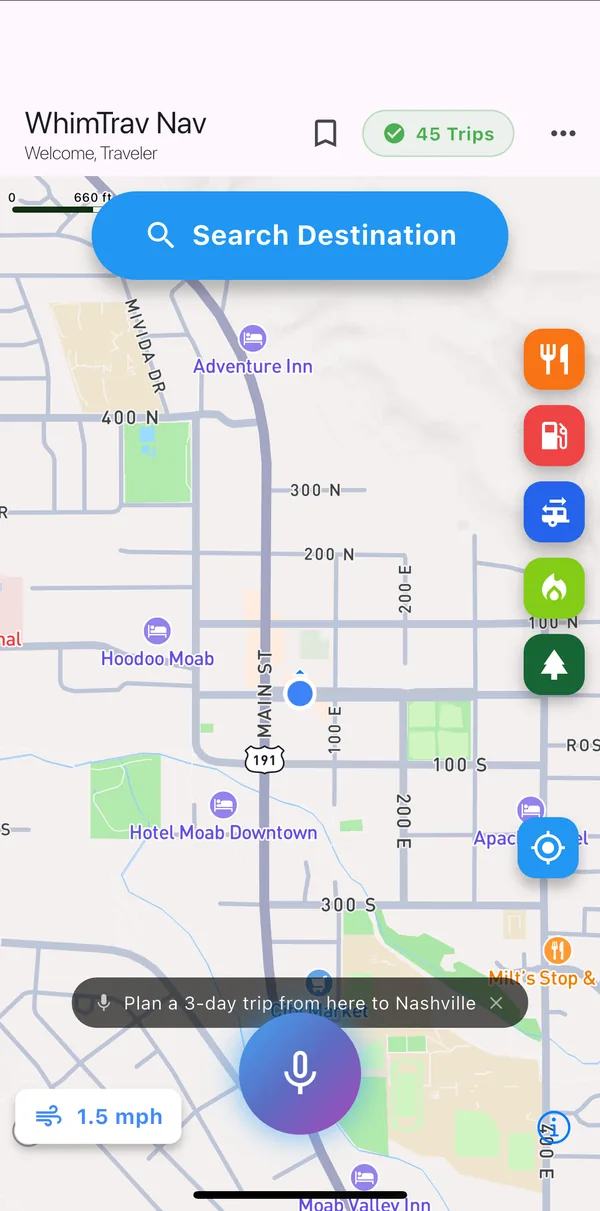 Step 1
The map is home
WhimTrav opens on a live map centered on you. Everything starts from here:
- Search Destination at the top for anywhere you want to go.
- Five one-tap buttons on the right: food, gas, dump stations, camping and state parks near you.
- The round microphone at the bottom opens the voice AI assistant.
-
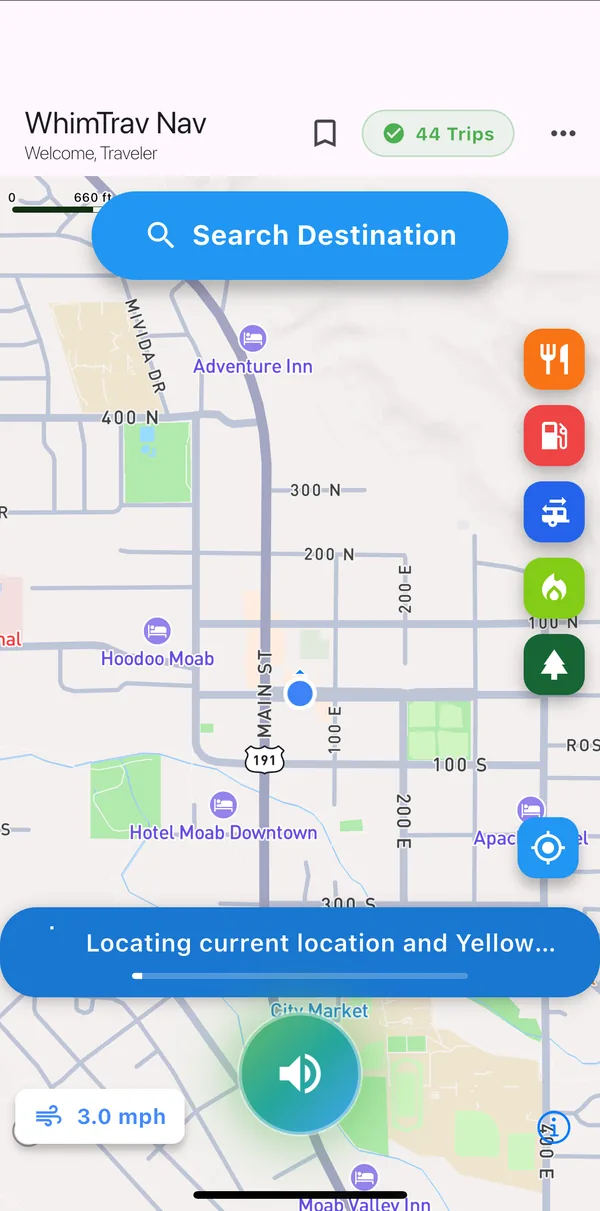 Step 2
Ask the voice AI
Tap the microphone and say what you want in plain words, for example "Plan a 3-day trip from here to Yellowstone National Park."
The assistant answers out loud and gets to work. You can also ask it about the weather, the nearest dump station or a campground with full hookups, all without typing.
-
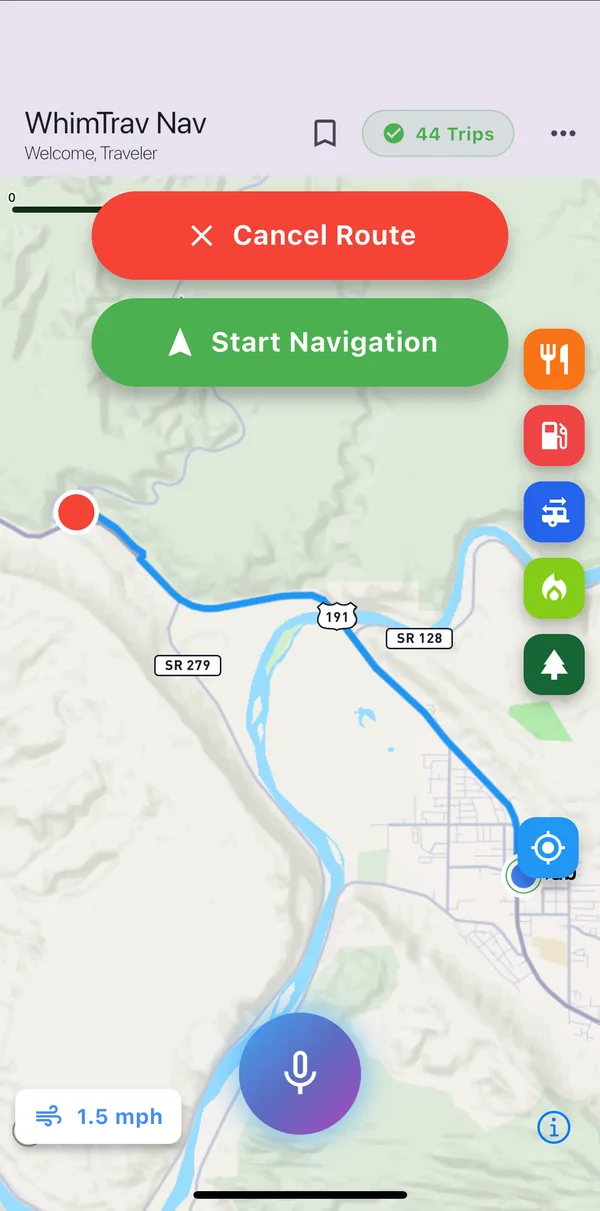 Step 3
Search and navigate
Prefer to type? Tap Search Destination, start typing a place and pick it from the suggestions. WhimTrav draws the route on the map.
Tap Start Navigation to follow it with turn instructions on screen, or Cancel Route to look somewhere else.
-
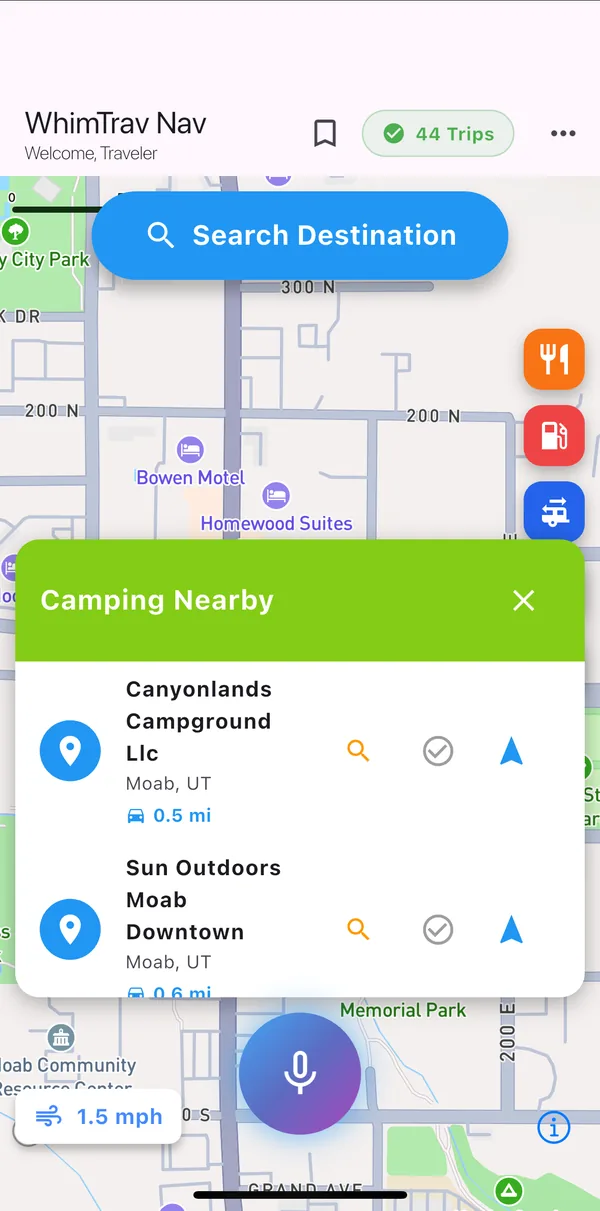 Step 4
Campgrounds nearby
The camping button lists campgrounds around you, nearest first, with the driving distance.
Each row has three buttons: look the place up on Google, verify the spot, or navigate straight there.
-
 Step 5
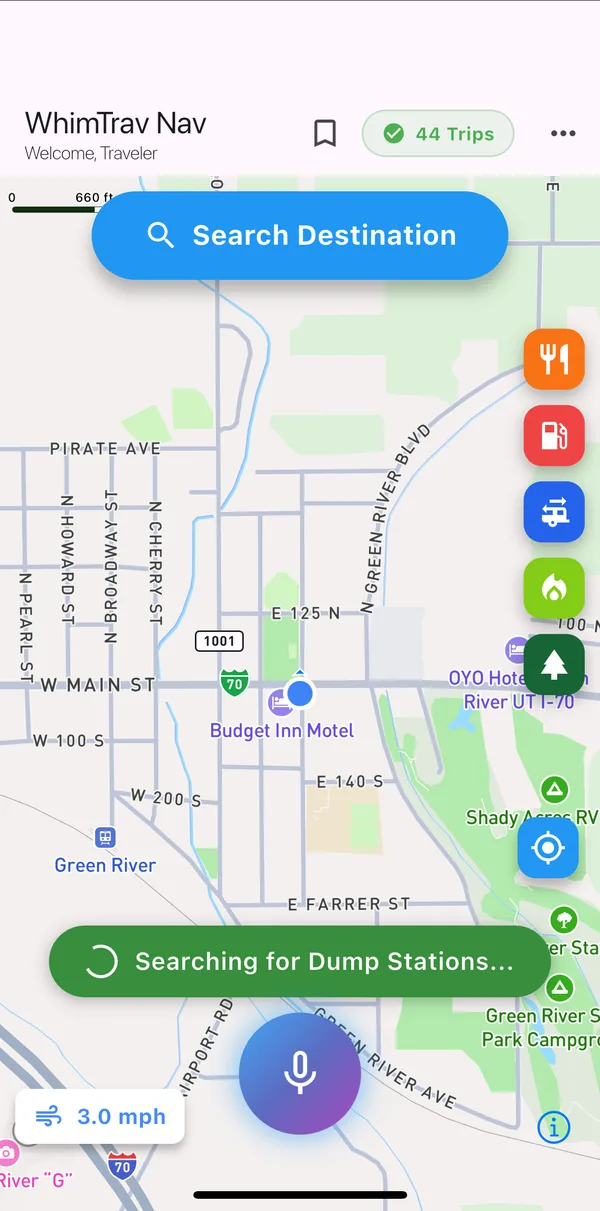
Dump stations in one tap
Tanks getting full? The dump station button searches around your current position. This search ran in Green River, Utah, a common stop on I-70.
-
 Step 6
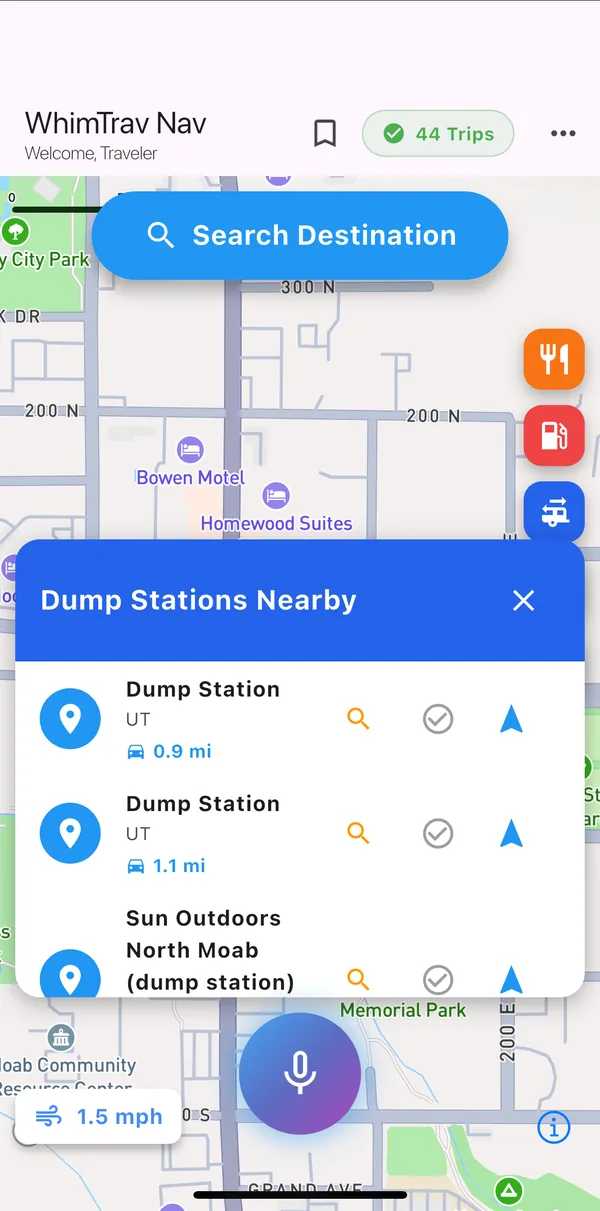
Pick a dump station
Back in Moab, the results come back as a list with distances, using the same three buttons as campgrounds. Tap the arrow and WhimTrav routes you there.
Hours and fees change, so check the spot before you pull in.
-
 Step 7
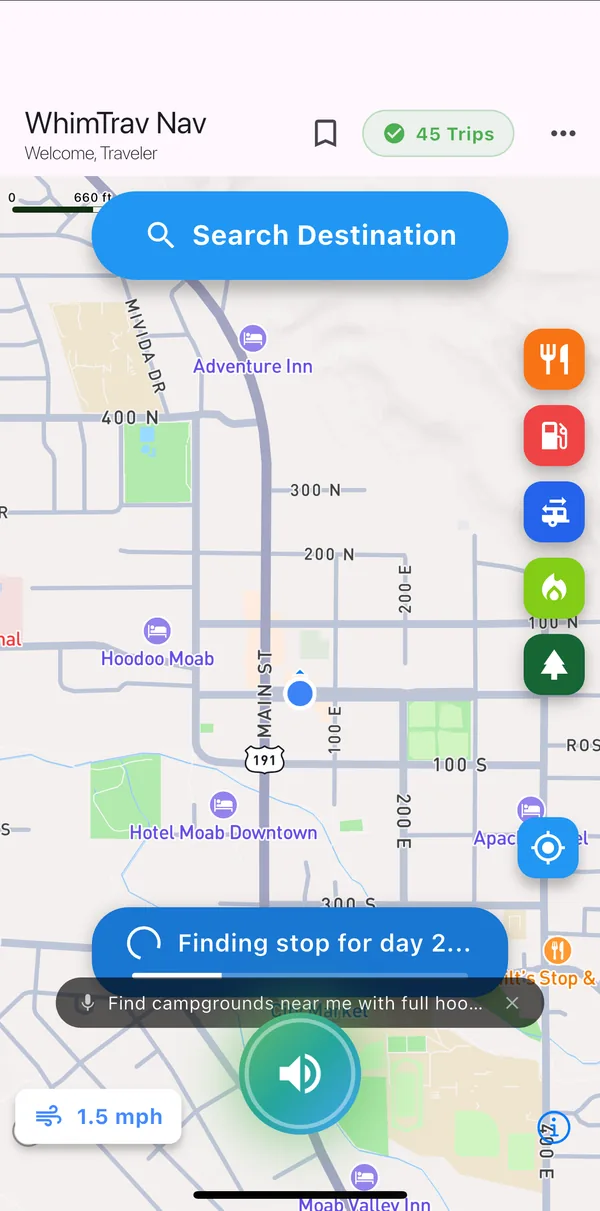
AI trip planning
Back to the Yellowstone request from step 2. WhimTrav splits the drive into days, looks for a campground for the nights on the way and adds fuel stops. You can watch it work through the days.
-
 Step 8
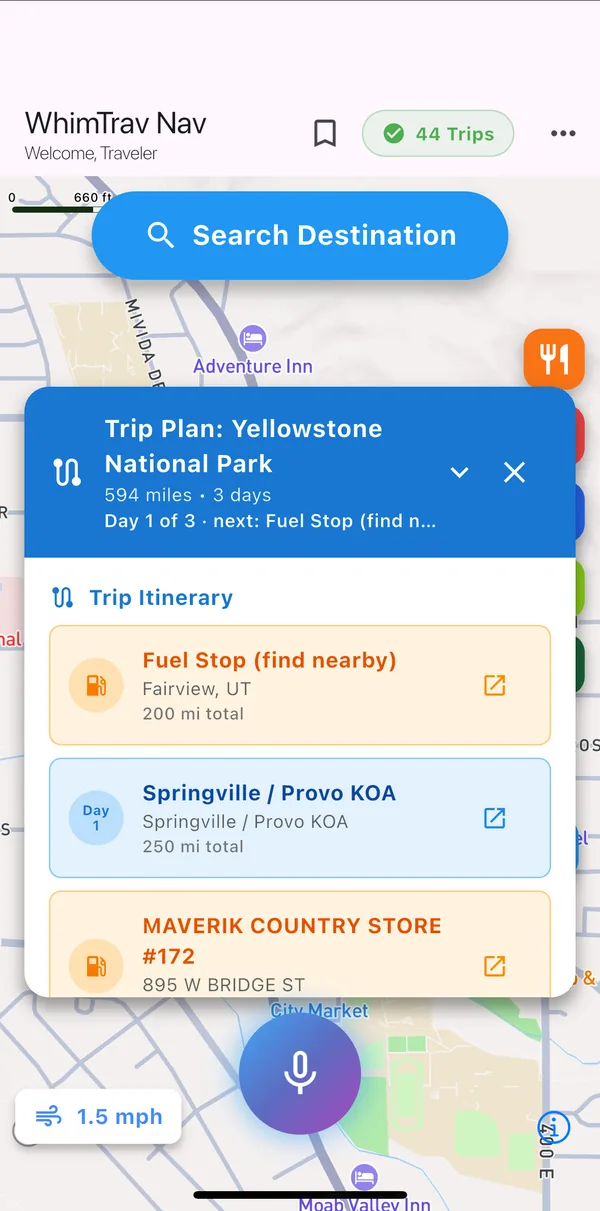
Your day-by-day itinerary
The finished plan shows the total distance and number of days, then every stop in order: fuel stops in orange, the end of each day in blue with its day number (a campground on the way, then your destination), each with the running mileage.
This one is 594 miles in 3 days, from Moab to Yellowstone.
-
 Step 9
Check it, then go
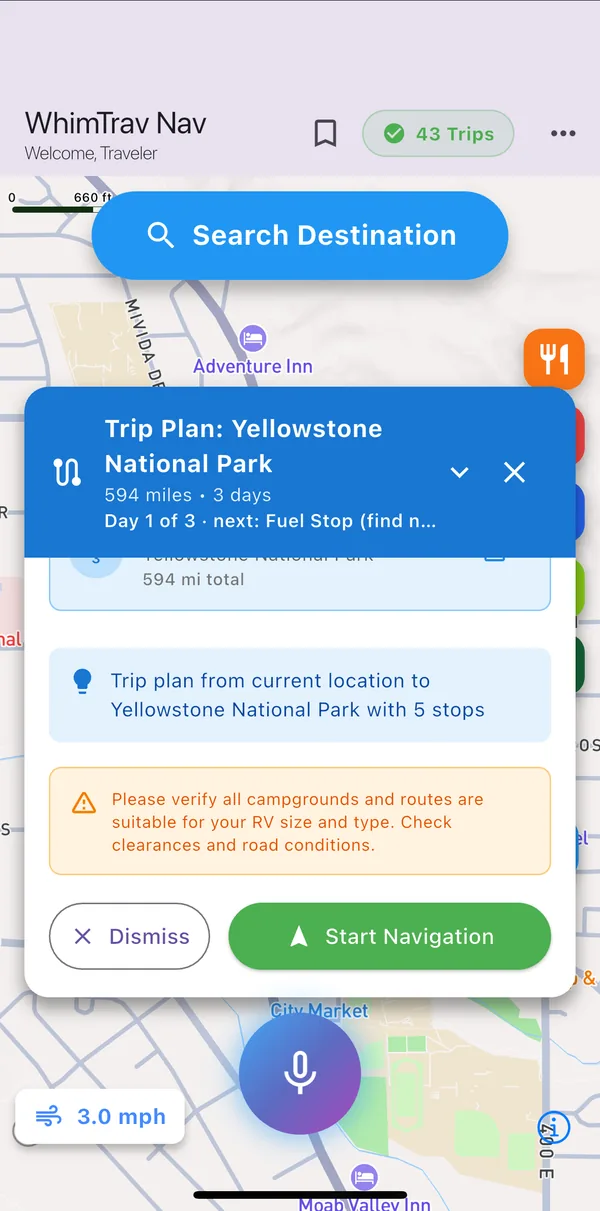
At the end of the plan WhimTrav reminds you to check that every campground and route suits your RV's size and type, including clearances and road conditions. You know your rig best.
When it looks right, tap Start Navigation. The plan stays on the map as you drive, showing the day you are on and the next stop.
The voice assistant and trip planning need a free WhimTrav account. Every plan, including free, comes with a monthly number of AI conversations and trip plans.
Want the full list? See all WhimTrav features.